
Slice planning
Plan on real localizers, exactly like the department console.
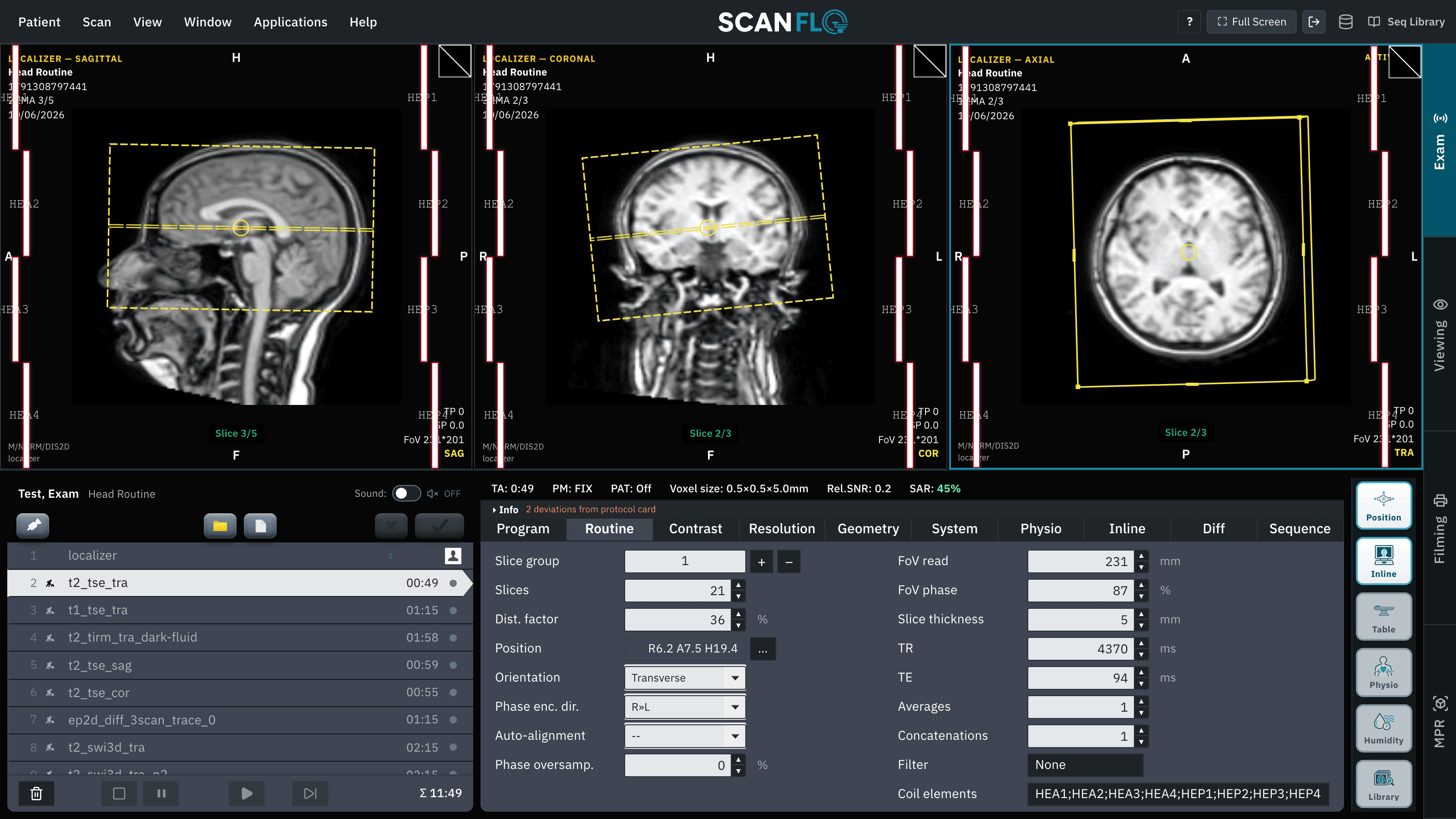
Three-plane localizers, draggable slice groups, angulation and saturation bands are all simulated. Planning is where console confidence actually gets built.
How it works
Three steps, on a real console workflow.
01
Run the localizer
Every exam starts the way real exams start: a three-plane scout that everything else is planned on.
02
Position the slice group
Drag, rotate and angulate the stack across all three planes; watch the coverage and orientation markers update live.
03
Check your coverage
Scan and read the result. Missed anatomy and wrong angulation show up immediately, and they cost nothing to correct.
Planning controls
| Control | Console behavior | Why it matters |
|---|---|---|
| Slice group position | L/P/H offsets | Anatomy coverage |
| Angulation | Free rotation in-plane | True axial vs anatomy-aligned |
| Distance factor | 0–100% | Gap vs contiguous coverage |
| Phase direction | R»L / A»P swap | Artifact placement decisions |
In the classroom
How programs use it
- Grade planning screenshots: is the stack aligned to the AC-PC line?
- Set 'wrong plan' exercises: learners diagnose why anatomy was missed.
- Time planning drills: full head routine planned in under two minutes.
Learn the concepts
Short guides that pair with this feature:
Start today
Put your learners at the console today.
Free 45-minute trial. No installs. Runs in any browser.