
ScanFlo Anatomy
The body, structure by structure.
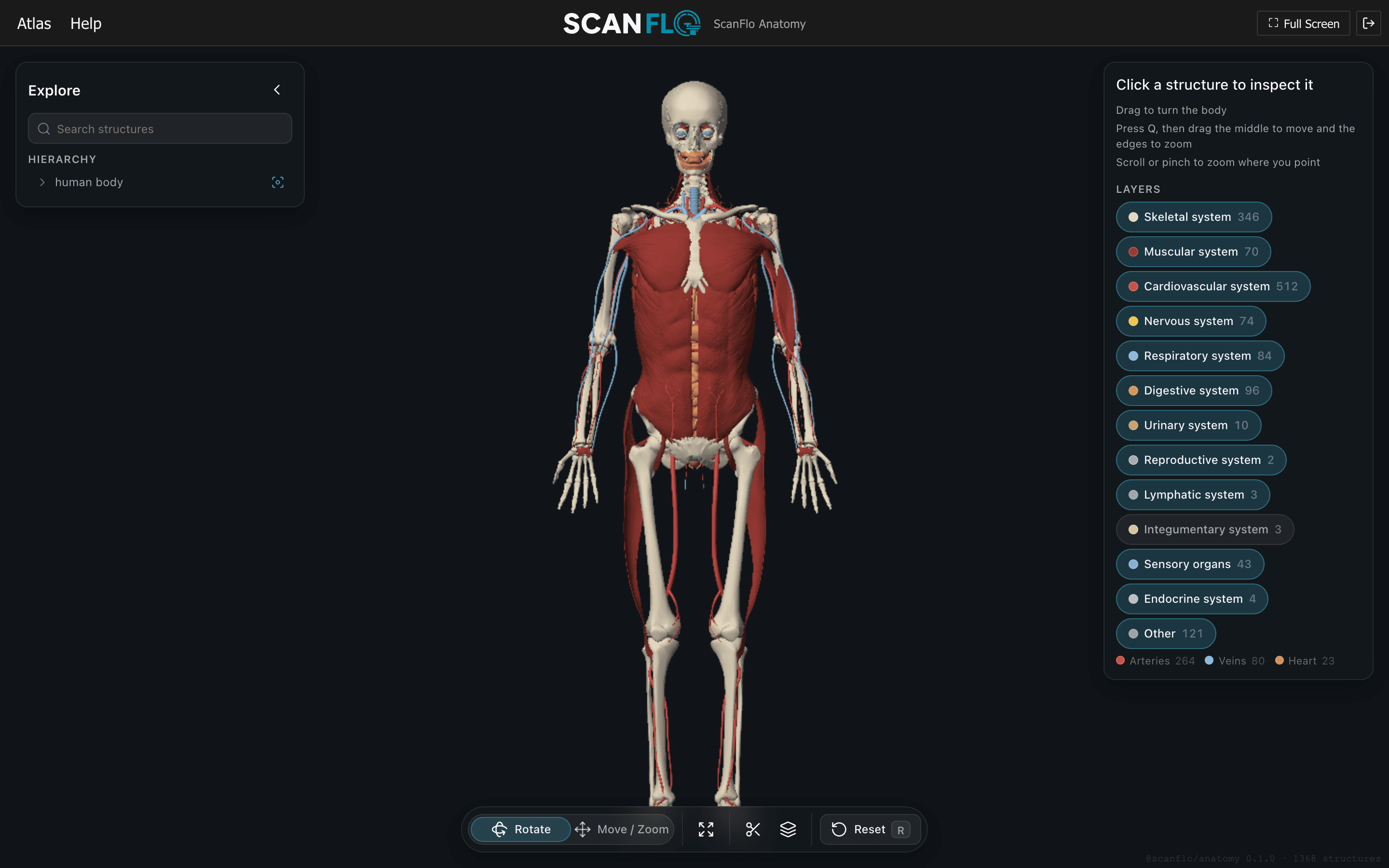
About 1,400 structures from the BodyParts3D atlas, drawn in the browser by the same software renderer as the CT console, so it runs on an ordinary lab PC with no graphics card. Search a structure, isolate it, cut through it, pull the systems apart. Available now, alongside MRI and CT.
Coverage
Built the way MRI and CT were built.
- The BodyParts3D atlas, every structure named by its FMA id and arranged in one hierarchy from body to organ to segment
- Type a name or an FMA id, jump to the structure, and show it alone or with its parents and neighbours
- Axial, coronal and sagittal cutting planes expose a section the way a CT slice does
- Pull structures apart along their own axes to see how they nest, then put them back with one slider
- Rendered in software in Web Workers, like the CT volume renderer, so the lab PCs that run the consoles run the atlas
- A slice on the console locates itself in the atlas, the atlas hands a planning block back, and OSCE stations can drive it
Clip
Cut on any plane.
Axial, coronal and sagittal clipping planes expose a section the way a slice does. An axial cut through the abdomen, seen from below, is the same section a CT slice shows.
- Axial, coronal and sagittal planes
- The section a CT or MRI slice shows
- Seen from either side of the cut

Explode
Pull the systems apart.
Explode structures along their own axes to see how they nest, then put them back with one slider. Here only the skeletal and cardiovascular layers are on.
- One slider, apart and back
- Layer toggles by system
- Structures move along their own axes

Find
Every structure in one tree.
Type a name or an FMA id and jump to the structure. The hierarchy follows the selection, and the panel names it, gives its FMA id and its size.
- Search by name or FMA id
- Show a structure alone or with its neighbours
- Name, FMA id and size for every structure

Try it on the console yourself.
FAQ
Frequently asked questions
Does ScanFlo Anatomy need a graphics card?
No. The atlas is rendered in software in Web Workers, like the CT volume renderer, so it runs in the browser on the same ordinary lab PCs that run the MRI and CT consoles.
Where does the anatomy come from?
From the BodyParts3D atlas: about 1,400 structures, each named by its FMA id and arranged in one hierarchy from body to organ to segment.
How does the atlas connect to ScanFlo MRI and CT?
A slice on the console locates itself in the atlas, the atlas can hand a planning block back to the console, and OSCE stations can drive it.
How do I get access?
Start a free trial from the sign-up page, or pick a plan on the pricing page. Pro and institutional plans put the atlas next to the MRI and CT consoles in one place.
Start today
Start with the atlas today.
Trial it free, or pick a plan. Want a demo for your department? Talk to us.