
Fused PET/CT reading
CT anatomy, PET uptake, one crosshair.
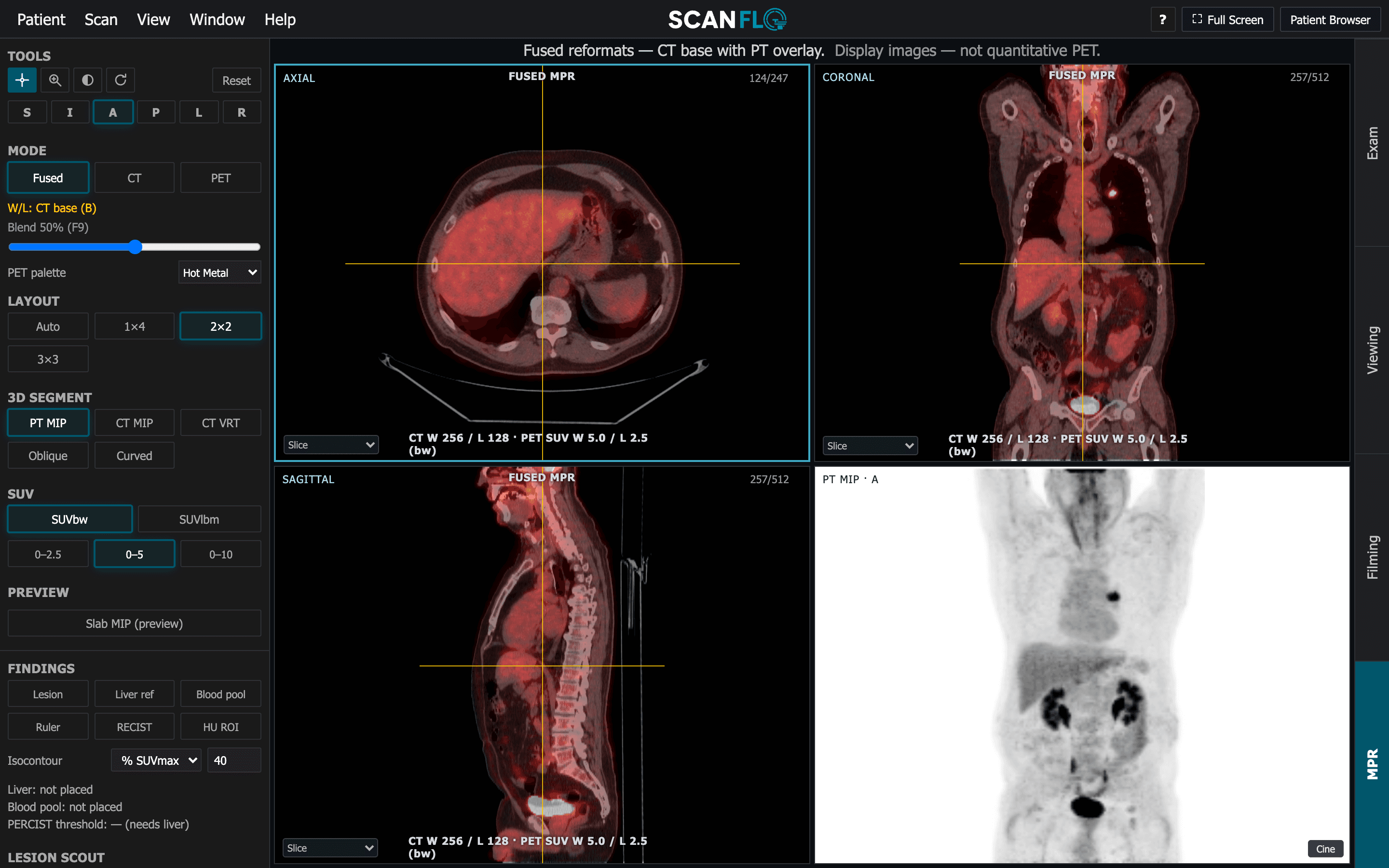
Fused axial, coronal and sagittal reformats with a PET/CT blend, PET palettes and SUV windows, a rotating PT MIP, and CT MIP and VRT. Registration QC lets you check the PET against the CT and correct it with a manual rigid nudge.
How it works
Three steps, on a real console workflow.
Open the fused study
Axial, coronal and sagittal fused reformats open with a linked crosshair, beside the rotating PT MIP. Switch any time between fused, CT and PET.
Set the display
Move the blend between PET and CT, pick a PET palette and an SUV window, and change the layout to suit the read.
Check the registration
Run registration QC on the PET against the CT; if they are out, nudge the PET into place with a manual rigid shift.
Display controls
| Control | Options | What it teaches |
|---|---|---|
| Mode | Fused, CT, PET | What each dataset contributes on its own |
| Blend and palette | PET/CT blend; palettes such as Hot Metal | Making uptake readable without hiding anatomy |
| SUV window | SUVbw or SUVlbm, 0–2.5, 0–5, 0–10 | How a window changes what looks hot |
| 3D | PT MIP, CT MIP, CT VRT | The whole-body overview and where it misleads |
In the classroom
How programs use it
- Show one study in three SUV windows and ask which lesions change their apparent significance.
- Offset the PET deliberately and have learners find and correct the misregistration.
- Use the rotating PT MIP to locate a lesion, then confirm it on the fused planes.
Learn the concepts
Short guides that pair with this feature:
Start today
Put your learners at the console today.
Free 45-minute trial. No installs. Runs in any browser.